
One process serves the desktop shell, API, scheduler, memory, tool registry, and readiness checks.
Local autonomous runtime
Hallow Agent Documentation.
Hallow is an installable agent OS for builders who want autonomous agents to run locally, remember work privately, discover tools through standards, connect to models, and improve skills under policy. This is the docs surface: direct project documentation, not community claims.
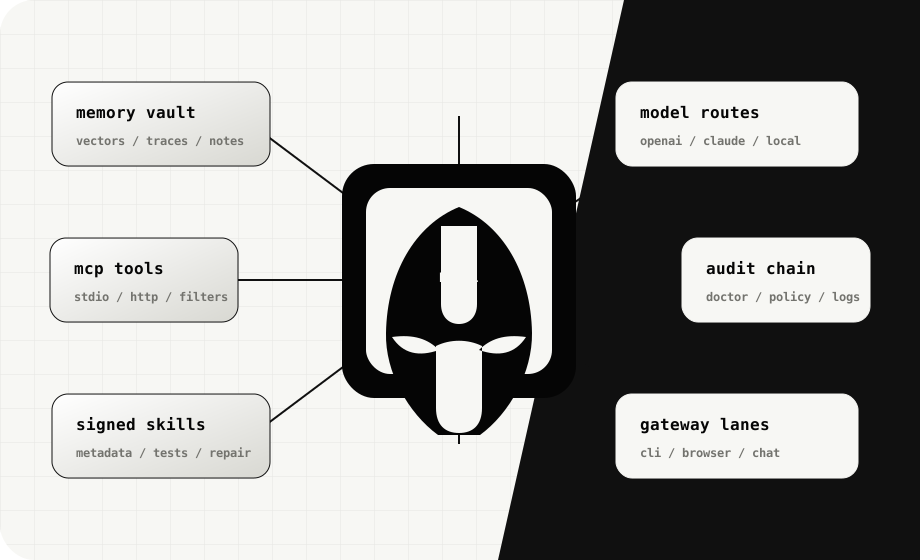
Agents store traces, decisions, vectors, corrections, and project context inside the local Hallow home.
Agents and skills ship with manifests, permissions, model needs, signatures, and audit metadata.
Quickstart
One command installs dependencies, verifies the build, starts a managed local runtime, and opens the desktop. Git and Corepack are not required.
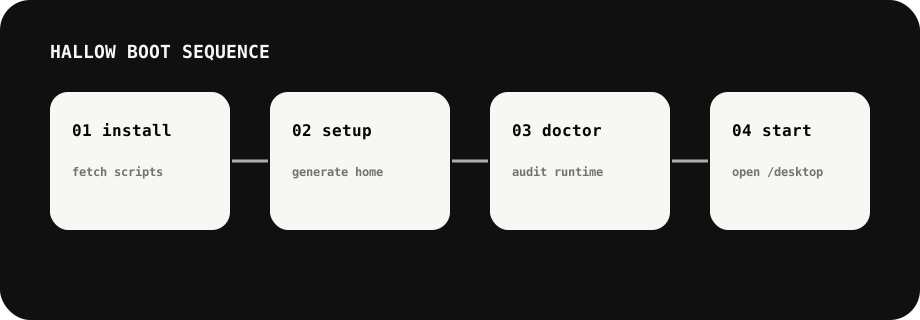
iex (irm https://hallow-agent.xyz/install.ps1)
 hallow
 hallow> status
 hallow> run "summarize this workspace"
The installer stages upgrades before replacing the active source, preserves
~/.hallow/, records a full install log, and opens the local desktop automatically.Installation
Windows PowerShell
iex (irm https://hallow-agent.xyz/install.ps1)macOS / Linux / WSL2
curl -fsSL https://hallow-agent.xyz/install.sh | bashWindows CMD fallback
powershell -nop -ep bypass -c "irm https://hallow-agent.xyz/install.ps1|iex"Verify before installing
irm https://hallow-agent.xyz/install.ps1 -OutFile install.ps1
.\install.ps1 -DryRun
The Bash installer supports --dry-run, --no-start, --no-open, and --verify. PowerShell exposes equivalent switches.
Updating & Uninstalling
Runtime lifecycle
hallow start runs in the background, hallow open starts if needed and opens the desktop, hallow status verifies it, and hallow stop closes it.
Update
Run hallow update. The installer builds in staging, retains the previous source as a rollback copy, and preserves private runtime data.
Backup
Keep a copy of the Hallow home folder before destructive changes. It contains memory, traces, config, packages, and audits.
Uninstall
Run hallow uninstall. Application files and the launcher are removed; private runtime data stays under ~/.hallow/ unless explicitly purged.
Learning Path
Open /desktop, check readiness, and understand the local boundary.
Generate a manifest, define capabilities, attach model profiles, and keep permissions explicit.
Connect MCP, browser, OAuth, and gateway adapters only after policy checks pass.
Turn repeated workflows into signed skills with tests and metadata.
Use scheduler, quality scoring, traces, and repair loops before unattended runs.
Export package metadata, audit security, and avoid shipping private local paths.
Using Hallow
Hallow has three visible surfaces: CLI for builders, desktop shell for local operation, and HTTP APIs for automation.
Agents
Autonomous workers described by manifests, memory policy, model profiles, tools, safety limits, and trace export rules.
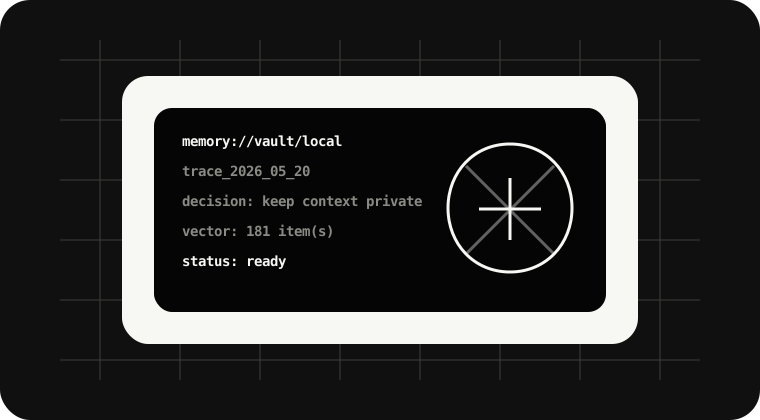
Memory
Local vault for semantic memory, run traces, corrections, and future repair context.
Models
OpenAI-compatible APIs, Claude/OpenRouter-style providers, local fallback, and cost-aware route profiles.
Gateway lanes
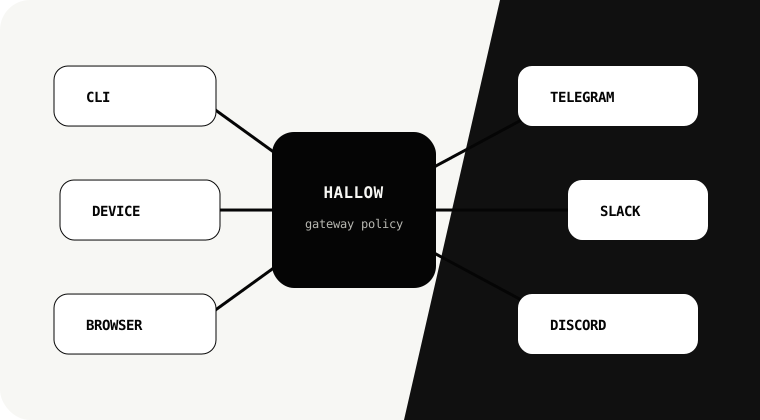
CLI, browser shell, chat adapters, and device lanes with pairing and allowlist controls.
Features
Register stdio or HTTP MCP servers and filter tools per server before an agent can call them.
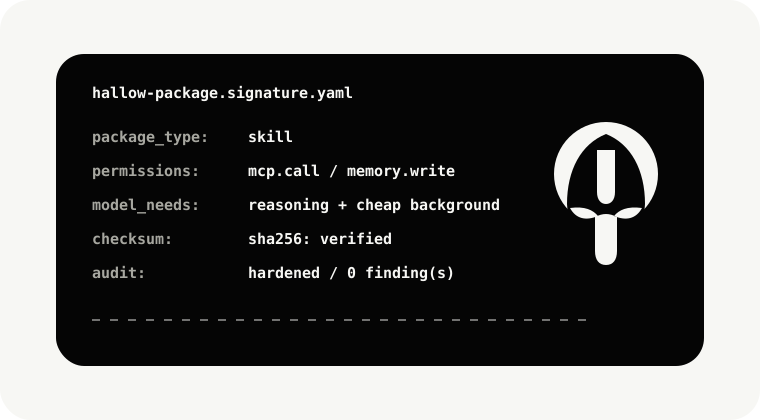
Reusable workflows with metadata, tests, permissions, checksums, and optional external skill directories.
Signed packages for agents and skills, with trust metadata and install verification.
Failed runs become traces, traces become repair candidates, and quality gates decide promotion.
Checks exposed secrets, unsafe permissions, sandbox posture, package trust, and gateway policy.
A clean local UI for install flow, readiness checks, and runtime status without leaking local paths.
Integrations
Model providers
OpenAI-compatible APIs, OpenRouter, Anthropic-style routes, and local model profiles.
OAuth
Connector definitions and grants are separated from UI display so hidden tokens are not exposed.
Browser
Live browser sessions can capture HTML, screenshots, and artifacts for traceable tasks.
Messaging platforms
Gateway adapters are the path for Telegram, Discord, Slack, WhatsApp-style channels, and custom devices.
Guides & Tutorials
Create first agent
hallow agent create research
hallow doctor
hallow start
Package a skill
hallow package sign ./skills/research-briefing
hallow marketplace verify --path ./skills/research-briefing
Connect MCP server
hallow mcp add filesystem --command npx --args -y,@modelcontextprotocol/server-filesystem,.
hallow mcp probe --server filesystem
Pair a gateway
hallow gateway pair telegram --allowlist team.yaml
hallow gateway status
Developer Guide
Manifest standard
Agents and skills declare identity, capabilities, permissions, model needs, memory policy, and trace export rules.
Runtime API
Local HTTP endpoints expose health, readiness, desktop status, tasks, memory, tools, marketplace, OAuth, and gateways.
Adapter contract
Gateway and tool adapters must declare transport, allowed actions, auth policy, and failure behavior.
Tracing
Every meaningful autonomous action should leave an artifact: task record, browser capture, tool event, memory item, or audit row.
Reference
Core commands
hallow terminal, hallow setup, hallow doctor, hallow start, hallow agent create, hallow mcp add.
Files & folders
Hallow home stores config, memory, traces, packages, marketplace indexes, desktop artifacts, audits, and browser sessions.
Troubleshooting
If a route returns 404, rerun hallow setup and restart the runtime so generated desktop/docs artifacts are refreshed.